
Build AI Apps in .NET using Microsoft.Extensions.AI is a practical way to create provider-agnostic AI applications with cleaner architecture, pluggable model providers, and reusable chat abstractions.
AI is moving fast in the .NET world, but one challenge keeps showing up in real projects: how do we build AI features without tightly coupling our application to one model provider?
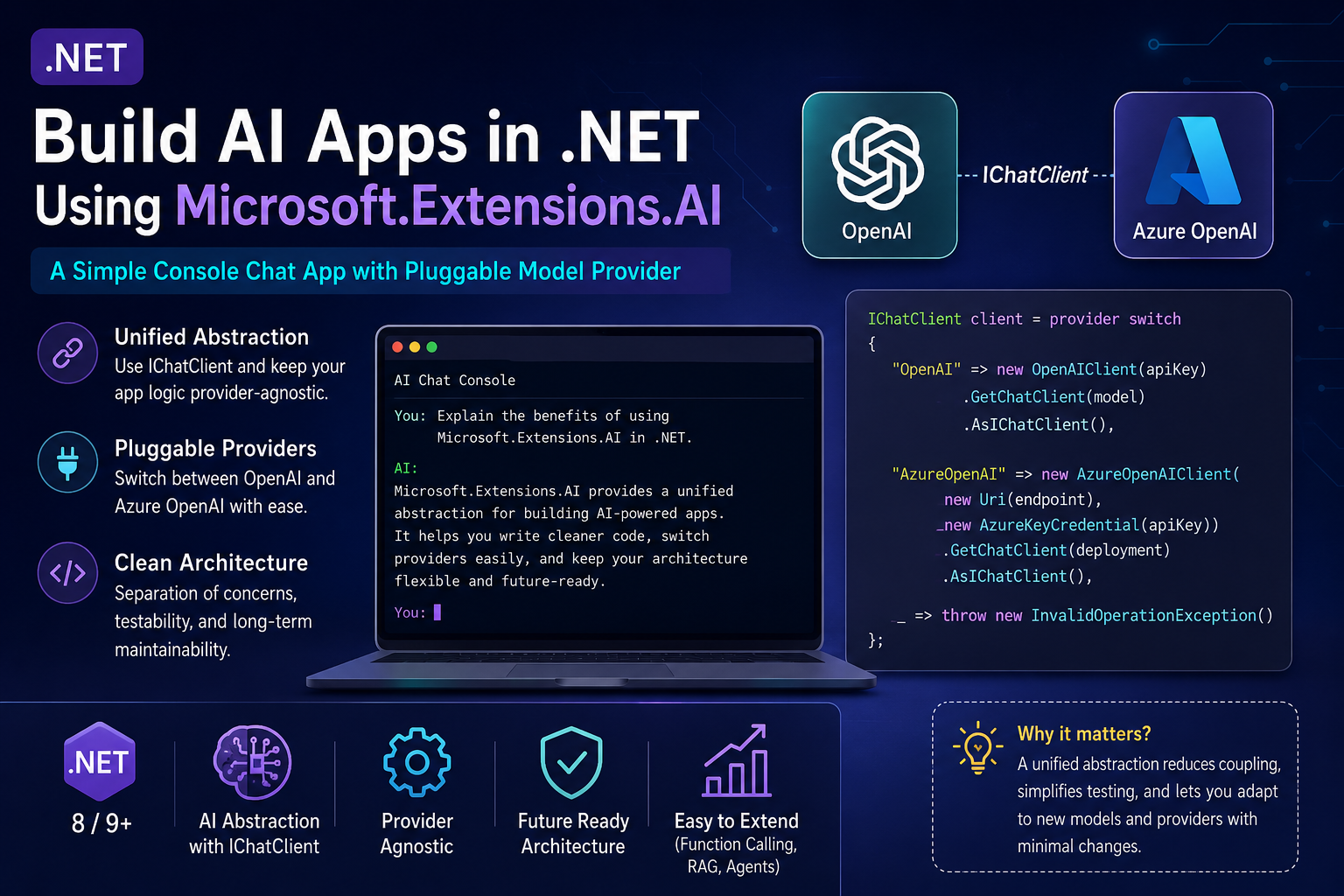
Build AI Apps in .NET Using Microsoft.Extensions.AI
In this article, I want to walk through a practical answer using Microsoft.Extensions.AI. Instead of wiring application logic directly to a specific SDK everywhere, we can use a unified abstraction and keep our codebase cleaner, more testable, and easier to evolve.
I’ll show a simple console chat app with a pluggable provider model, and more importantly, I’ll explain why that design matters if you are building AI-enabled .NET applications that may later move between OpenAI, Azure OpenAI, or more advanced architectures.
Table of Contents
- Version Info
- Who Should Read This
- Key Takeaways
- Why a Unified Abstraction Matters
- What Is Microsoft.Extensions.AI?
- A Simple Architecture I Recommend
- NuGet Packages
- appsettings.json
- Program.cs
- Why This Pattern Works in Real Projects
- Where Microsoft.Extensions.AI Fits Best
- A Good Next Step: Function Calling
- Related Reads on AINexArch
- Frequently Asked Questions
- Final Thoughts
Version Info
In this article, I’m using the current Microsoft.Extensions.AI approach for modern .NET AI applications. At the time of writing, the current stable NuGet packages are:
- Microsoft.Extensions.AI — 10.6.0
- Microsoft.Extensions.AI.OpenAI — 10.6.0
The core abstraction I’m focusing on here is IChatClient, which gives .NET applications a provider-agnostic
way to work with chat models. This article is written for a modern .NET setup and uses a simple console chat application
to demonstrate a clean pluggable-provider pattern.
One practical note: some Microsoft quickstarts still show --prerelease in sample install commands, but the
stable NuGet packages are available now, so in a real application I would use the stable versions unless I explicitly
need preview functionality.
If you want to build AI Apps in .NET for real business scenarios, a unified abstraction helps keep your architecture cleaner and more flexible over time.
Teams that build AI Apps in .NET often start with one provider, but a pluggable model makes it much easier to adapt later.
If you want to build AI Apps in .NET for real business scenarios, a unified abstraction helps keep your architecture cleaner and more flexible over time.
Teams that build AI Apps in .NET often start with one provider, but a pluggable model makes it much easier to adapt later.
Official References
- Microsoft.Extensions.AI documentation
- Official .NET AI quickstart
- Microsoft.Extensions.AI NuGet package
Who Should Read This
This article is for .NET developers, solution architects, and technical leads who want to add AI capabilities to their applications without locking the entire codebase to one provider SDK.
It is especially useful if you are:
- evaluating OpenAI vs Azure OpenAI for a .NET solution
- designing a reusable service layer for AI-enabled applications
- trying to keep business logic separate from provider-specific code
- planning for future growth into RAG, function calling, or more advanced orchestration
Key Takeaways
- Microsoft.Extensions.AI gives .NET developers a unified abstraction for integrating AI features.
IChatClienthelps separate application logic from provider-specific setup.- A pluggable provider design makes it easier to switch between OpenAI and Azure OpenAI.
- This abstraction is useful not only for demos, but also for cleaner long-term architecture.
- You can start with simple chat and later add function invocation and more advanced AI patterns.
Why a Unified Abstraction Matters
One of the easiest mistakes to make in an AI demo is to let provider SDK details leak into every layer of the app. At first, that feels fast. You call the model directly, get a result, and move on.
But real systems rarely stay that simple.
The moment a team wants to:
- move from OpenAI to Azure OpenAI
- compare models across providers
- apply telemetry and middleware consistently
- unit test AI-related application logic more easily
- keep configuration and provider choice outside the core business layer
tightly coupled code becomes painful.
That is why I like the direction of Microsoft.Extensions.AI. It gives us a common abstraction, so the rest of the application can focus on prompts, workflows, and business behavior instead of provider-specific plumbing.
In other words, the unified abstraction matters because it reduces future friction.
What Is Microsoft.Extensions.AI?
In practical terms, Microsoft.Extensions.AI is a .NET library set that provides a common programming model for AI-related
interactions such as chat and embeddings. The key point for application developers is that our app code can depend on
abstractions like IChatClient instead of being built directly around one provider SDK.
That makes the design feel familiar to .NET developers. We already like clean interfaces, dependency injection, configuration-driven behavior, and separation of concerns. This fits naturally into that mindset.
I also think it helps teams make better architectural choices. If all I need is app-level AI behavior, I can start here with a clean chat abstraction. If later I need grounding, I can add retrieval-related components. If later I need truly multi-step orchestration, I can move toward an agent framework. That progression is much cleaner than starting with one tightly coupled SDK integration and then trying to refactor everything later.
A Simple Architecture I Recommend
For a small AI-enabled .NET app, I recommend keeping the architecture simple:
- Program / composition root — decide which provider to use and build the client.
- IChatClient — use the abstraction everywhere else in the app.
- Application logic — keep prompts, history, and response handling separate from provider setup.
That separation is the real win.
Your chat loop should not need to know whether it is talking to OpenAI or Azure OpenAI. It should just use
IChatClient.
NuGet Packages
For this example, I would install the following packages:
dotnet add package Microsoft.Extensions.AI --version 10.6.0
dotnet add package Microsoft.Extensions.AI.OpenAI --version 10.6.0
dotnet add package OpenAI
dotnet add package Azure.AI.OpenAI
dotnet add package Microsoft.Extensions.Configuration
dotnet add package Microsoft.Extensions.Configuration.Json
dotnet add package Microsoft.Extensions.Configuration.UserSecrets
dotnet add package Microsoft.Extensions.Configuration.EnvironmentVariables
The goal here is straightforward:
Microsoft.Extensions.AIgives us the abstraction layerMicrosoft.Extensions.AI.OpenAIgives us provider integration supportOpenAIandAzure.AI.OpenAIlet us work with OpenAI and Azure OpenAI clients- configuration packages help us keep secrets and settings outside the code
appsettings.json
I like to keep provider choice in configuration so the code stays flexible.
{
  "AI": {
    "Provider": "OpenAI",
    "OpenAI": {
      "Model": "gpt-4o-mini",
      "ApiKey": ""
    },
    "AzureOpenAI": {
      "Endpoint": "",
      "Deployment": "",
      "ApiKey": ""
    }
  }
}
The key idea is simple: application code reads the provider from configuration, and the composition root creates the appropriate implementation.
Program.cs
Below is a simple console chat application that uses a pluggable provider model.
using Azure;
using Azure.AI.OpenAI;
using Microsoft.Extensions.AI;
using Microsoft.Extensions.Configuration;
using OpenAI;

var configuration = new ConfigurationBuilder()
    .AddJsonFile("appsettings.json", optional: true)
    .AddUserSecrets<Program>(optional: true)
    .AddEnvironmentVariables()
    .Build();

IChatClient chatClient = CreateChatClient(configuration);

List<ChatMessage> history =
[
    new ChatMessage(
        ChatRole.System,
        """
        You are a helpful AI assistant for .NET developers.
        Give practical and concise answers.
        When relevant, include short code examples.
        """)
];

Console.WriteLine("AI chat started. Type 'exit' to quit.");
Console.WriteLine();

while (true)
{
    Console.Write("You: ");
    string? input = Console.ReadLine();

    if (string.IsNullOrWhiteSpace(input))
    {
        continue;
    }

    if (input.Equals("exit", StringComparison.OrdinalIgnoreCase))
    {
        break;
    }

    history.Add(new ChatMessage(ChatRole.User, input));

    ChatResponse response = await chatClient.GetResponseAsync(
        history,
        new ChatOptions
        {
            Temperature = 0.2f,
            MaxOutputTokens = 400
        });

    Console.WriteLine();
    Console.WriteLine($"AI: {response.Text}");
    Console.WriteLine();

    history.Add(new ChatMessage(ChatRole.Assistant, response.Text));
}

static IChatClient CreateChatClient(IConfiguration configuration)
{
    string provider = configuration["AI:Provider"] ?? "OpenAI";

    return provider switch
    {
        "OpenAI" => CreateOpenAIClient(configuration),
        "AzureOpenAI" => CreateAzureOpenAIClient(configuration),
        _ => throw new InvalidOperationException(
            $"Unsupported AI provider '{provider}'. Use 'OpenAI' or 'AzureOpenAI'.")
    };
}

static IChatClient CreateOpenAIClient(IConfiguration configuration)
{
    string apiKey = configuration["AI:OpenAI:ApiKey"]
        ?? throw new InvalidOperationException("Missing AI:OpenAI:ApiKey");

    string model = configuration["AI:OpenAI:Model"] ?? "gpt-4o-mini";

    return new OpenAIClient(apiKey)
        .GetChatClient(model)
        .AsIChatClient();
}

static IChatClient CreateAzureOpenAIClient(IConfiguration configuration)
{
    string endpoint = configuration["AI:AzureOpenAI:Endpoint"]
        ?? throw new InvalidOperationException("Missing AI:AzureOpenAI:Endpoint");

    string apiKey = configuration["AI:AzureOpenAI:ApiKey"]
        ?? throw new InvalidOperationException("Missing AI:AzureOpenAI:ApiKey");

    string deployment = configuration["AI:AzureOpenAI:Deployment"]
        ?? throw new InvalidOperationException("Missing AI:AzureOpenAI:Deployment");

    return new AzureOpenAIClient(new Uri(endpoint), new AzureKeyCredential(apiKey))
        .GetChatClient(deployment)
        .AsIChatClient();
}
What I Want You to Notice in This Example
The most important part of this code is not the chat loop.
The real architectural value is that all provider-specific setup lives in one place.
The rest of the application only depends on IChatClient. That means the chat workflow, prompt handling,
and response display logic do not care which underlying provider is being used.
That is exactly the kind of design I prefer in production systems. It reduces coupling and makes later change less painful.
Why This Pattern Works in Real Projects
In real enterprise applications, provider decisions often change for reasons that have nothing to do with code elegance:
- security and compliance requirements
- regional hosting needs
- cost management
- performance testing results
- vendor strategy and procurement decisions
If the application is tightly coupled to one SDK across many layers, even a small provider change can create a large refactor.
But if the application depends on IChatClient, the blast radius is much smaller. In many cases, the biggest
change is in composition and configuration rather than in business logic.
That is why I keep emphasizing the unified abstraction angle. This is not just about nice code. It is about reducing architectural risk later.
Where Microsoft.Extensions.AI Fits Best
I think Microsoft.Extensions.AI is a very good fit when you want:
- a provider-agnostic chat abstraction
- clean integration with dependency injection and configuration
- a path toward telemetry, middleware, and shared behaviors
- a simple starting point for AI-enabled .NET applications
I would especially start here for:
- chat assistants inside business applications
- internal support tools
- summarization or drafting features
- document-based assistants
- applications that may later grow into RAG or tool-calling workflows
For many teams, this is the right first layer before adding more advanced AI infrastructure.
A Good Next Step: Function Calling
One reason I like starting with this abstraction is that it does not block future growth.
Once the simple chat pattern is working, you can move toward function invocation. That lets the model call application functions in a more structured way.
Conceptually, the next step looks like this:
IChatClient baseClient = CreateChatClient(configuration);

IChatClient client = new ChatClientBuilder(baseClient)
    .UseFunctionInvocation()
    .Build();
That is a great example of why the abstraction matters. We do not need to throw away the original design. We can extend it.
My Advice for .NET Developers
If you are only experimenting for one quick demo, direct provider SDK usage is acceptable.
But if you are building something that may become a real application, I would strongly consider starting with Microsoft.Extensions.AI.
Not because abstractions are trendy, but because this one solves a very real architectural problem: keeping your AI app logic separate from provider churn.
That is the kind of choice that pays off later.
Related Reads on AINexArch
- Secure API Design in ASP.NET Core with JWT, OAuth, and Azure Entra ID
- Azure AI Foundry with .NET: A Practical Beginner-to-Architect Guide
- Semantic Kernel vs Microsoft.Extensions.AI for .NET Developers
- Build a Simple RAG API in ASP.NET Core
- Evaluating AI Responses in .NET: Relevance, Safety, and Quality
- What Is Artificial Intelligence? A Practical Beginner’s Guide
Frequently Asked Questions
What is Microsoft.Extensions.AI in .NET?
Microsoft.Extensions.AI is a unified abstraction layer for building AI-enabled .NET applications. It provides common interfaces for working with chat models, embeddings, and middleware-related capabilities so that your application code does not need to depend directly on one provider SDK everywhere.
Why does a unified abstraction matter?
In my view, this matters because it keeps application logic cleaner. Instead of coupling business code directly to a
single SDK, you can depend on abstractions like IChatClient. That makes it easier to switch providers,
test code, and keep composition concerns separate from the rest of the app.
What is IChatClient?
IChatClient is one of the key interfaces in Microsoft.Extensions.AI. It represents a chat-capable AI client
and gives your app a provider-agnostic way to send prompts or chat history and receive responses.
Should I use Microsoft.Extensions.AI or Microsoft.Extensions.AI.Abstractions?
For most application code, I would use Microsoft.Extensions.AI. The abstractions package is more foundational,
while the higher-level package is what most consuming applications should reference.
Can I use this with both Azure OpenAI and OpenAI?
Yes. That is one of the key strengths of the approach. Both providers can be adapted into the same
IChatClient abstraction, which is exactly why this pattern works well for pluggable provider scenarios.
Can I add function calling later?
Yes. You can start with a simple chat app and later build on the same abstraction using
ChatClientBuilder(...).UseFunctionInvocation().Build().
When should I use a higher-level agent framework instead?
I would stay with Microsoft.Extensions.AI for straightforward chat features, prompt-based workflows, and simple tool-calling loops. If the system becomes truly multi-step and agentic, then a dedicated orchestration framework becomes a better fit.
If I were starting a modern project today, I would build AI Apps in .NET with Microsoft.Extensions.AI so the application stays cleaner, easier to test, and easier to evolve.
Final Thoughts
In this post, I wanted to show more than just how to send a prompt from .NET.
What matters more is the design choice behind it.
Microsoft.Extensions.AI gives .NET developers a clean, unified way to integrate AI features into modern
applications. The center of that story is IChatClient, and once the app depends on that abstraction,
the code becomes easier to evolve, easier to test, and easier to adapt when provider choices change.
If I were building a modern AI-enabled .NET application today, this is the direction I would start with.