
Version Info
- .NET 10
- ASP.NET Core 10
- Microsoft Entra ID
- OAuth 2.0 + OpenID Connect
- Microsoft.Identity.Web
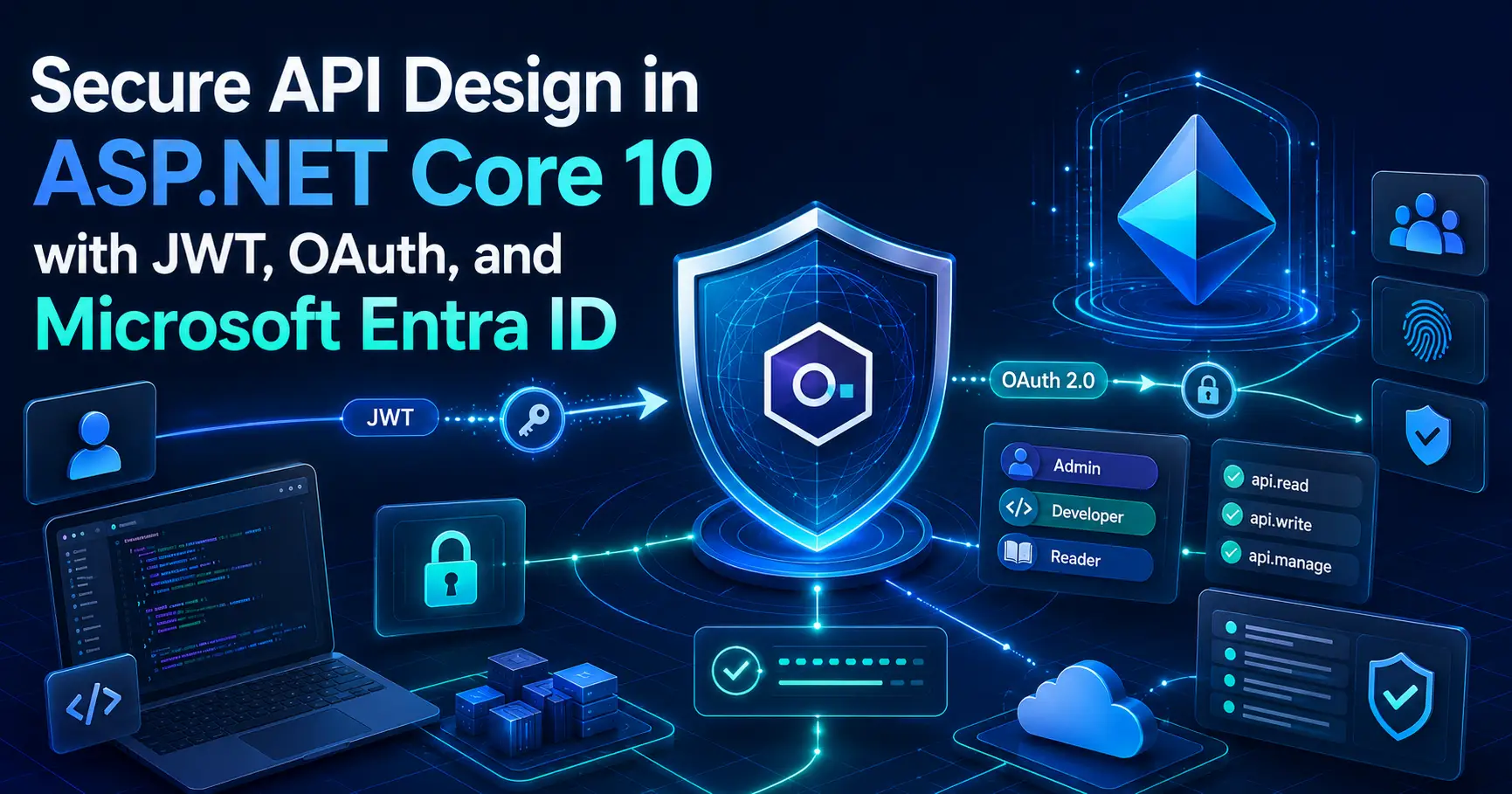
Secure API Design in ASP.NET Core 10 with JWT, OAuth, and Microsoft Entra ID
Secure API Design in ASP.NET Core is one of the most valuable topics for senior .NET engineers because it sits at the center of real enterprise systems. It is not enough to say that an API uses JWT bearer authentication. In production, we also need to understand token validation, delegated versus app-only access, scopes, roles, policy-based authorization, and how Microsoft Entra ID fits into an ASP.NET Core architecture.
In this article, I want to explain secure API design from a practical .NET perspective. I will walk through how JWT, OAuth 2.0, OpenID Connect, and Microsoft Entra ID work together, and I will also include real ASP.NET Core 10 examples that are useful both for interviews and for real projects.
Table of Contents
- JWT vs OAuth vs OpenID Connect vs Microsoft Entra ID
- What Secure API Design in ASP.NET Core really means
- JWT bearer authentication in ASP.NET Core 10
- Protecting an API with Microsoft Entra ID
- Scopes for delegated user access
- Roles for application or daemon access
- Policy-based authorization
- Common mistakes to avoid
- How I would explain this in an interview
- Related Articles
- FAQ
- Official References
JWT vs OAuth vs OpenID Connect vs Microsoft Entra ID
One reason this topic becomes confusing is that these terms are closely related, but they are not the same thing. I usually explain them in a very simple way:
- JWT is commonly used as a token format.
- OAuth 2.0 is an authorization protocol used to obtain access tokens.
- OpenID Connect adds authentication on top of OAuth 2.0.
- Microsoft Entra ID is the identity provider that can issue tokens for your ASP.NET Core applications and APIs.
Another important distinction is this: access tokens are meant for APIs, while ID tokens are meant for sign-in and identity. That means an ASP.NET Core API should normally accept an access token, not an ID token.
What Secure API Design in ASP.NET Core really means
For me, Secure API Design in ASP.NET Core is not just about enabling authentication. A well-designed API should do all of the following:
- Require authentication by default.
- Validate access tokens correctly.
- Use scopes for delegated user access.
- Use roles for application or daemon access.
- Apply policy-based authorization for business rules.
- Return the correct status codes such as
401and403.
This is where many systems fail. They stop at [Authorize] and assume the API is secure.
In reality, authentication alone is only the first layer. Real security comes from deciding exactly
what each caller is allowed to do.
Secure API Design in ASP.NET Core becomes much stronger when authentication, authorization, scopes, roles, and token validation are all designed together instead of treated separately.
In real enterprise systems, Secure API Design in ASP.NET Core is not just about adding JWT bearer authentication, but also about choosing the right identity provider, enforcing policies, and validating access correctly.
JWT bearer authentication in ASP.NET Core 10
A secure ASP.NET Core API should validate the token issuer, audience, lifetime, and signing key. Below is a clean example of JWT bearer authentication in ASP.NET Core 10.
using Microsoft.AspNetCore.Authentication.JwtBearer;
using Microsoft.AspNetCore.Authorization;
using Microsoft.IdentityModel.Tokens;

var builder = WebApplication.CreateBuilder(args);

builder.Services
    .AddAuthentication(JwtBearerDefaults.AuthenticationScheme)
    .AddJwtBearer(options =>
    {
        options.Authority = builder.Configuration["Auth:Authority"];
        options.Audience = builder.Configuration["Auth:Audience"];

        options.TokenValidationParameters = new TokenValidationParameters
        {
            ValidateIssuer = true,
            ValidateAudience = true,
            ValidateLifetime = true,
            ValidateIssuerSigningKey = true,
            ClockSkew = TimeSpan.FromMinutes(1),
            NameClaimType = "name",
            RoleClaimType = "roles"
        };
    });

builder.Services.AddAuthorization(options =>
{
    options.FallbackPolicy = new AuthorizationPolicyBuilder()
        .RequireAuthenticatedUser()
        .Build();

    options.AddPolicy("InvoicesRead", policy =>
        policy.RequireAssertion(ctx =>
            ctx.User.HasClaim("scp", "Invoices.Read") ||
            ctx.User.IsInRole("Invoices.Read.All")));

    options.AddPolicy("FinanceAdmin", policy =>
        policy.RequireRole("Finance.Admin"));
});

builder.Services.AddControllers();

var app = builder.Build();

app.UseHttpsRedirection();
app.UseAuthentication();
app.UseAuthorization();

app.MapControllers();

app.Run();
I like this example because it does not stop at authentication. It also introduces a fallback policy so endpoints are protected by default, and it shows how authorization policies can be used for both scopes and roles.
Protecting an API with Microsoft Entra ID
In enterprise applications, I usually prefer Microsoft Entra ID instead of building custom token flows. It provides centralized identity, application registrations, scopes, roles, and standards-based security. For many internal APIs, admin systems, and enterprise applications, this is the most practical choice.
using Microsoft.AspNetCore.Authentication.JwtBearer;
using Microsoft.Identity.Web;

var builder = WebApplication.CreateBuilder(args);

builder.Services
    .AddAuthentication(JwtBearerDefaults.AuthenticationScheme)
    .AddMicrosoftIdentityWebApi(builder.Configuration);

builder.Services.AddAuthorization(options =>
{
    options.FallbackPolicy = new Microsoft.AspNetCore.Authorization.AuthorizationPolicyBuilder()
        .RequireAuthenticatedUser()
        .Build();
});

builder.Services.AddControllers();

var app = builder.Build();

app.UseAuthentication();
app.UseAuthorization();

app.MapControllers();

app.Run();
Example appsettings.json configuration:
{
  "AzureAd": {
    "Instance": "https://login.microsoftonline.com/",
    "TenantId": "YOUR_TENANT_ID",
    "ClientId": "YOUR_API_APP_REGISTRATION_CLIENT_ID",
    "Audience": "api://YOUR_API_APP_REGISTRATION_CLIENT_ID"
  }
}
This approach helps keep security aligned with Microsoft’s identity platform rather than relying on custom token creation or loosely managed authentication logic.
Scopes for delegated user access
When a signed-in user calls your API through a web app, SPA, or mobile app, the API should validate scopes. In this model, the app is acting on behalf of the user, which is called delegated access.
using Microsoft.AspNetCore.Authorization;
using Microsoft.AspNetCore.Mvc;
using Microsoft.Identity.Web.Resource;

[ApiController]
[Route("api/[controller]")]
[Authorize]
public class InvoicesController : ControllerBase
{
    [HttpGet]
    [RequiredScope("Invoices.Read")]
    public IActionResult GetInvoices()
    {
        return Ok(new[]
        {
            new { Id = 1001, Customer = "Contoso", Amount = 2500.00 }
        });
    }

    [HttpPost]
    [RequiredScope("Invoices.Write")]
    public IActionResult CreateInvoice([FromBody] object model)
    {
        return Ok(new { Message = "Invoice created" });
    }
}
This is a strong real-world example because it shows that the request is not only authenticated, but also checked for the exact permission needed to read or write invoice data.
Roles for application or daemon access
In service-to-service or background processing scenarios, there may be no signed-in user. That is where application permissions and app roles become more appropriate than scopes.
using Microsoft.AspNetCore.Authorization;
using Microsoft.AspNetCore.Mvc;

[ApiController]
[Route("api/[controller]")]
[Authorize]
public class AdminJobsController : ControllerBase
{
    [HttpPost("rebuild-search-index")]
    [Authorize(Roles = "Search.Index.Rebuild")]
    public IActionResult RebuildSearchIndex()
    {
        return Ok(new { Message = "Index rebuild started" });
    }
}
This pattern works well for scheduled jobs, integration services, back-office processes, and daemon applications that need controlled access to protected APIs.
Policy-based authorization
Policy-based authorization is one of the most important parts of Secure API Design in ASP.NET Core because it helps centralize security rules instead of scattering them across controllers and services.
builder.Services.AddAuthorization(options =>
{
    options.AddPolicy("ApprovePayments", policy =>
        policy.RequireAssertion(context =>
            context.User.IsInRole("Payments.Approver") &&
            context.User.HasClaim("department", "Finance")));
});
Then apply it like this:
[Authorize(Policy = "ApprovePayments")]
[HttpPost("approve")]
public IActionResult ApprovePayment()
{
    return Ok(new { Message = "Payment approved" });
}
This is cleaner, more reusable, and much easier to review than placing custom authorization logic directly inside action methods.
If you are also preparing for distributed architecture discussions, read my Microservices Interview Questions for Senior .NET Engineers article next.
Secure API design also connects closely with resilience patterns such as retries, circuit breakers, timeouts, and idempotency. I covered those in Resilient .NET APIs: Retry, Circuit Breaker, Timeout, and Idempotency .
Once an API is secure, the next step is making it observable in production. You can also read Observability in .NET: Logging, Tracing, Metrics, and Application Insights .
If you are building cloud-native .NET systems, you may also like .NET Aspire Explained for Cloud-Native Teams .
For a practical API-based AI example, see Build a Simple RAG API in ASP.NET Core .
Common mistakes to avoid
-
Using ID tokens to call APIs
ID tokens are meant for authentication, not API authorization. -
Stopping at
[Authorize]
Authentication alone is not enough. You still need scopes, roles, or policies. -
Mixing scopes and roles without understanding the use case
Scopes are typically for delegated access, while roles are typically for application access. -
Using weak or inconsistent authorization rules
Security decisions should be centralized and testable. -
Creating custom production token flows without a strong reason
Enterprise systems are usually better served by standards-based identity providers such as Microsoft Entra ID.
How I would explain this in an interview
If I were asked how I secure an ASP.NET Core API in a senior interview, I would answer like this:
I separate authentication from authorization. Authentication proves who is calling the API, usually through bearer tokens validated by ASP.NET Core. Authorization decides what the caller can do, which I implement through scopes, app roles, and policy-based authorization. For enterprise systems, I prefer Microsoft Entra ID with Microsoft.Identity.Web instead of homemade token solutions. I protect endpoints by default, validate delegated access with scopes, validate service-to-service access with roles, and keep authorization rules centralized through policies.
That kind of answer shows not just syntax knowledge, but also architecture-level thinking.
Related Articles
- Microservices Interview Questions for Senior .NET Engineers
- Resilient .NET APIs: Retry, Circuit Breaker, Timeout, and Idempotency
- Observability in .NET: Logging, Tracing, Metrics, and Application Insights
- .NET Aspire Explained for Cloud-Native Teams
- Build a Simple RAG API in ASP.NET Core
FAQ
Is JWT the same as OAuth?
No. JWT is typically a token format, while OAuth 2.0 is an authorization protocol used to obtain access tokens.
What is the difference between OAuth and OpenID Connect?
OAuth 2.0 is for authorization. OpenID Connect adds authentication and introduces the ID token.
Should I use ID tokens to call ASP.NET Core APIs?
No. APIs should be called with access tokens, not ID tokens.
When should I use scopes vs roles?
Use scopes for delegated user access and roles for application or daemon access.
Why is policy-based authorization useful?
It centralizes security rules and makes complex authorization easier to maintain and test.
Official References
- ASP.NET Core JWT Bearer Authentication Documentation
- Microsoft Entra ID Protected Web API Tutorial
- .NET and .NET Core Official Support Policy
Final Thoughts
Secure API Design in ASP.NET Core is a core skill for senior .NET engineers because it directly affects architecture quality, platform safety, and production readiness.
When we understand how JWT, OAuth 2.0, OpenID Connect, and Microsoft Entra ID work together, we move from basic authentication setup to real API security design. That is the level of thinking that matters in modern enterprise .NET projects.
Recommended AI Tools & Resources
If you found this article useful, here are some AI tools and resources from AINexArch that can help you work faster and smarter:
- Best AI Writing Tools 2026 — top tools for writing, content, and productivity
- ChatGPT vs Claude 2026 — which AI is better for developers?
- Best Free AI Tools 2026 — powerful AI tools that cost nothing
- Best AI Tools for Content Creators 2026 — complete guide
If you create technical videos, tutorials, or podcast content alongside your development work, ElevenLabs is the best AI voice generator available in 2026. Turn your written content into professional audio in seconds.
👉 Try ElevenLabs Free — Best AI Voice Generator 2026
Disclosure: This article contains affiliate links. If you sign up through my link, I may earn a commission at no extra cost to you.