
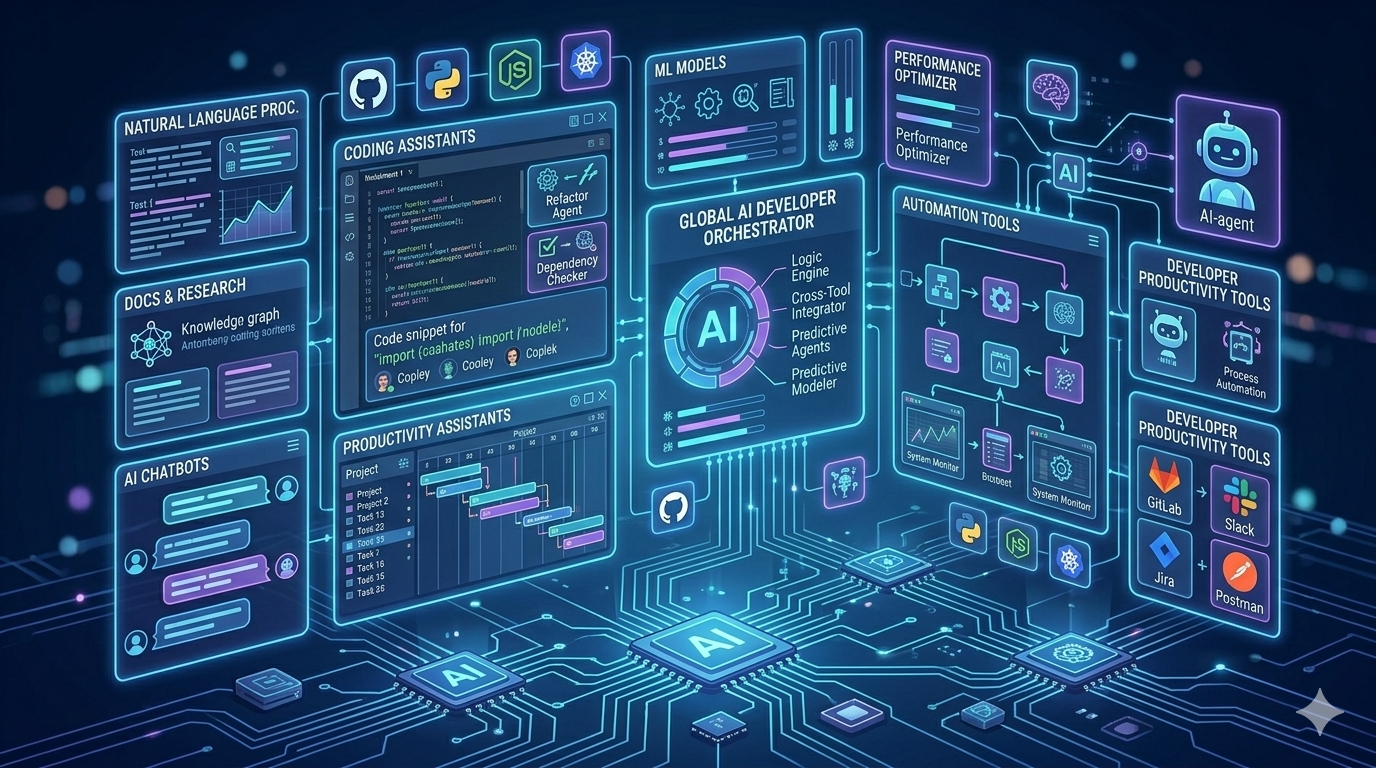
Quick summary: Developers in 2026 should know AI coding assistants, AI agents, code review tools, cloud AI platforms, and AI app development tools. The best choice depends on your IDE, codebase, cloud platform, privacy needs, and project type.
Who Should Read This?
- Software developers exploring AI tools for daily coding
- .NET, Azure, JavaScript, Python, Angular, React, and full-stack developers
- Technical leads comparing AI tools for teams
- Developers preparing for AI and software engineering interviews
- Architects planning AI-enabled development workflows
Key Takeaways
- AI tools are becoming part of the full software development lifecycle.
- GitHub Copilot, Cursor, Claude Code, and Codex are strong coding-focused tools.
- Gemini Code Assist and Amazon Q Developer are useful for cloud-connected development workflows.
- JetBrains AI Assistant, Sourcegraph Cody, and Tabnine are helpful for IDE and codebase-aware development.
- Microsoft Foundry / Azure AI Foundry is important for developers building AI apps, agents, and RAG solutions.
- AI tools improve productivity, but developers still need architecture, debugging, testing, and security skills.
Table of Contents
- 1. GitHub Copilot
- 2. OpenAI Codex
- 3. Claude Code
- 4. Cursor
- 5. Gemini Code Assist
- 6. Amazon Q Developer
- 7. JetBrains AI Assistant
- 8. Sourcegraph Cody
- 9. Tabnine
- 10. Microsoft Foundry / Azure AI Foundry
- Comparison Table
- How to Choose the Right AI Tool
- FAQ
1. GitHub Copilot
GitHub Copilot is one of the most popular AI coding assistants for developers. It helps with code suggestions, chat-based coding help, code explanations, test generation, pull request summaries, and developer productivity inside common development workflows. GitHub Copilot is especially useful for developers who already use GitHub, Visual Studio Code, Visual Studio, or JetBrains IDEs. It can help with daily coding tasks such as creating functions, writing unit tests, explaining unfamiliar code, and improving developer flow.Best for
- Daily coding assistance
- Code completion
- Pull request summaries
- Unit test suggestions
- Developers using GitHub and VS Code
2. OpenAI Codex
OpenAI Codex is useful for developers who want AI support for coding tasks, software changes, documentation, and agent-style developer workflows. Codex is especially interesting because it moves beyond simple code suggestions into task-based coding assistance. Developers can use Codex-style workflows to understand code, generate changes, review implementation ideas, and accelerate software delivery. It is useful for developers who already use ChatGPT and OpenAI tools as part of their learning or development process.Best for
- AI-assisted coding workflows
- Code explanation
- Documentation drafts
- Refactoring support
- Developers already using OpenAI tools
3. Claude Code
Claude Code is an agentic coding tool from Anthropic. It is useful for developers who want command-line based AI assistance, codebase understanding, file edits, scripting workflows, and multi-step coding tasks. Claude Code is especially helpful for developers who are comfortable working in terminals and want an AI tool that can assist with code changes, explanations, and developer automation.Best for
- Command-line AI coding workflows
- Multi-step coding tasks
- Codebase exploration
- Developer automation
- Advanced AI-assisted engineering workflows
4. Cursor
Cursor is an AI-powered code editor designed around natural language and codebase-aware development. It is useful for developers who want an editor experience built around AI-assisted coding, file context, code generation, and faster iteration. Cursor is popular with developers who want to ask questions about their codebase, generate changes across files, and use AI inside the editor rather than switching between multiple tools.Best for
- AI-first code editing
- Codebase-aware questions
- Multi-file coding help
- Fast prototyping
- Developers comfortable with AI-powered editors
5. Gemini Code Assist
Gemini Code Assist is Google’s AI-powered coding assistant for developers. It supports development teams across coding, deployment, and application operations workflows, especially for teams using Google Cloud. Gemini Code Assist can be useful for developers working in VS Code, JetBrains IDEs, Android Studio, Google Cloud, and cloud-connected developer environments.Best for
- Google Cloud developers
- Code generation and explanation
- Cloud application development
- Android and cloud workflows
- Teams using the Google ecosystem
6. Amazon Q Developer
Amazon Q Developer is useful for developers building and maintaining applications on AWS. It can help with feature planning, code changes, documentation, testing, and modernization tasks. Amazon Q Developer is especially helpful for AWS teams that want AI support inside cloud-native workflows. It can assist with understanding AWS services, application code, upgrades, and development tasks.Best for
- AWS developers
- Cloud-native application development
- Code modernization
- Documentation generation
- Feature implementation support
7. JetBrains AI Assistant
JetBrains AI Assistant is useful for developers who work inside JetBrains IDEs such as IntelliJ IDEA, Rider, PyCharm, WebStorm, and other JetBrains development environments. It helps with code suggestions, explanations, chat assistance, documentation, and IDE-integrated developer support. For developers who already use JetBrains tools, this can reduce context switching and keep AI help close to the code.Best for
- JetBrains IDE users
- Java, Kotlin, Python, JavaScript, and .NET developers using JetBrains tools
- IDE-integrated AI assistance
- Code explanation and documentation
- Developers who prefer staying inside one IDE
8. Sourcegraph Cody
Sourcegraph Cody is an AI coding assistant focused on helping developers understand, write, and fix code using codebase context. It is especially useful for large repositories, legacy systems, and teams that need code search and code intelligence. Cody can help developers ask questions about a codebase, understand unfamiliar logic, generate code, and review implementation ideas with more project context.Best for
- Large codebases
- Legacy system understanding
- Code search and code intelligence
- Team codebase knowledge
- Developers working across many repositories
9. Tabnine
Tabnine is an AI code assistant focused on productivity, privacy, and enterprise control. It can help with code completions, chat-based assistance, documentation, testing, and software development tasks inside the IDE. Tabnine is worth knowing for teams that care about secure development workflows, private code, compliance, and deployment flexibility.Best for
- Enterprise development teams
- Privacy-conscious organizations
- IDE-based code completion
- Secure AI-assisted development
- Teams with compliance requirements
10. Microsoft Foundry / Azure AI Foundry
Microsoft Foundry, also commonly connected with Azure AI Foundry, is important for developers who want to build AI applications, AI agents, RAG solutions, and enterprise AI systems on Azure. This is different from a simple coding assistant. It is more useful when developers want to build real AI-powered applications using models, agents, search, evaluation, monitoring, and governance.Best for
- .NET and Azure developers
- Enterprise AI applications
- RAG solutions
- AI agents
- Model evaluation and observability
- Cloud-based AI application architecture
10 AI Tools Every Developer Should Know in 2026: Comparison Table
| Tool | Best For | Good Fit For |
|---|---|---|
| GitHub Copilot | AI coding assistance | GitHub, VS Code, Visual Studio, JetBrains users |
| OpenAI Codex | Agent-style coding workflows | Developers using OpenAI and ChatGPT workflows |
| Claude Code | CLI-based coding agent workflows | Advanced developers and terminal users |
| Cursor | AI-first code editor | Developers who want codebase-aware editing |
| Gemini Code Assist | Google Cloud coding assistance | Google Cloud, Android, and cloud developers |
| Amazon Q Developer | AWS development support | AWS cloud developers and enterprise teams |
| JetBrains AI Assistant | AI inside JetBrains IDEs | IntelliJ, Rider, PyCharm, WebStorm users |
| Sourcegraph Cody | Codebase-aware assistance | Large repositories and legacy systems |
| Tabnine | Private and enterprise AI coding | Security-conscious teams |
| Microsoft Foundry / Azure AI Foundry | Building AI apps and agents | .NET, Azure, RAG, and enterprise AI developers |
How to Choose the Right AI Tool
The best AI tool depends on your daily workflow. A frontend developer, backend developer, cloud engineer, and solution architect may need different tools. Use this simple guidance:- For daily coding: Start with GitHub Copilot, Cursor, JetBrains AI Assistant, or Tabnine.
- For agent-style coding: Explore OpenAI Codex, Claude Code, or GitHub Copilot coding agent workflows.
- For Google Cloud: Learn Gemini Code Assist.
- For AWS: Learn Amazon Q Developer.
- For large codebases: Explore Sourcegraph Cody.
- For Azure AI applications: Learn Microsoft Foundry / Azure AI Foundry.
Important Reminder for Developers
AI tools can help developers move faster, but they do not remove the need for engineering judgment. Developers must still review generated code, test edge cases, check security, validate performance, and understand the architecture. The best developers in 2026 will not be the ones who blindly copy AI-generated code. The best developers will be the ones who know how to combine AI tools with strong fundamentals in software design, cloud, testing, debugging, observability, and production support.Why These AI Tools Matter in 2026
10 AI Tools Every Developer Should Know in 2026 is not just a list of popular tools. It is a practical guide for developers who want to improve coding productivity, understand AI-assisted workflows, and prepare for modern software development. When choosing from the 10 AI Tools Every Developer Should Know in 2026, developers should focus on real project needs such as coding support, testing, code review, DevOps, cloud integration, privacy, and AI application development.Final Thoughts
10 AI Tools Every Developer Should Know in 2026 gives developers a practical starting point for learning modern AI-assisted software development. These tools can help with coding, testing, reviewing, documenting, debugging, deploying, and building AI-powered applications. Start with one or two tools that match your current workflow. For example, a .NET and Azure developer may start with GitHub Copilot and Microsoft Foundry. A cloud developer on AWS may explore Amazon Q Developer. A developer working with large repositories may try Sourcegraph Cody or Cursor. The goal is not to chase every new tool. The goal is to build better software faster while keeping quality, security, maintainability, and human judgment at the center. Related reading: How AI is Changing Software Development in 2026, Best AI APIs for Developers in 2026, and What Is RAG in AI?.Recommended Resources
Looking for more AI tool reviews? Check out these guides on AINexArch:- Best AI Writing Tools 2026
- ChatGPT vs Claude 2026
- Best AI Tools for Content Creators 2026
- Best Free AI Tools 2026
FAQ: 10 AI Tools Every Developer Should Know in 2026
What are the best AI tools for developers in 2026?
Some of the best AI tools developers should know in 2026 include GitHub Copilot, OpenAI Codex, Claude Code, Cursor, Gemini Code Assist, Amazon Q Developer, JetBrains AI Assistant, Sourcegraph Cody, Tabnine, and Microsoft Foundry / Azure AI Foundry.Which AI tool is best for coding?
GitHub Copilot, Cursor, Claude Code, OpenAI Codex, JetBrains AI Assistant, and Tabnine are all useful for coding. The best choice depends on your IDE, language, budget, and team requirements.Which AI tool is best for .NET developers?
.NET developers can start with GitHub Copilot, Visual Studio integration, JetBrains Rider with AI Assistant, and Microsoft Foundry / Azure AI Foundry for building AI-powered applications on Azure.Which AI tool is best for cloud developers?
Azure developers should learn Microsoft Foundry / Azure AI Foundry. AWS developers should explore Amazon Q Developer. Google Cloud developers should learn Gemini Code Assist.Can AI tools replace developers?
AI tools can automate repetitive tasks and speed up development, but they do not replace strong engineering skills. Developers are still needed for architecture, debugging, testing, security, business understanding, and production readiness.How should beginners start using AI tools for development?
Beginners should start with one coding assistant, use it for small tasks, review every suggestion carefully, write tests, and slowly learn more advanced workflows such as AI agents, RAG, and AI application development.Recommended AI Tools & Resources
If you found this article useful, here are some AI tools and resources from AINexArch that can help you work faster and smarter:
- Best AI Writing Tools 2026 — top tools for writing, content, and productivity
- ChatGPT vs Claude 2026 — which AI is better for developers?
- Best Free AI Tools 2026 — powerful AI tools that cost nothing
- Best AI Tools for Content Creators 2026 — complete guide
If you create technical videos, tutorials, or podcast content alongside your development work, ElevenLabs is the best AI voice generator available in 2026. Turn your written content into professional audio in seconds.
👉 Try ElevenLabs Free — Best AI Voice Generator 2026
Disclosure: This article contains affiliate links. If you sign up through my link, I may earn a commission at no extra cost to you.