
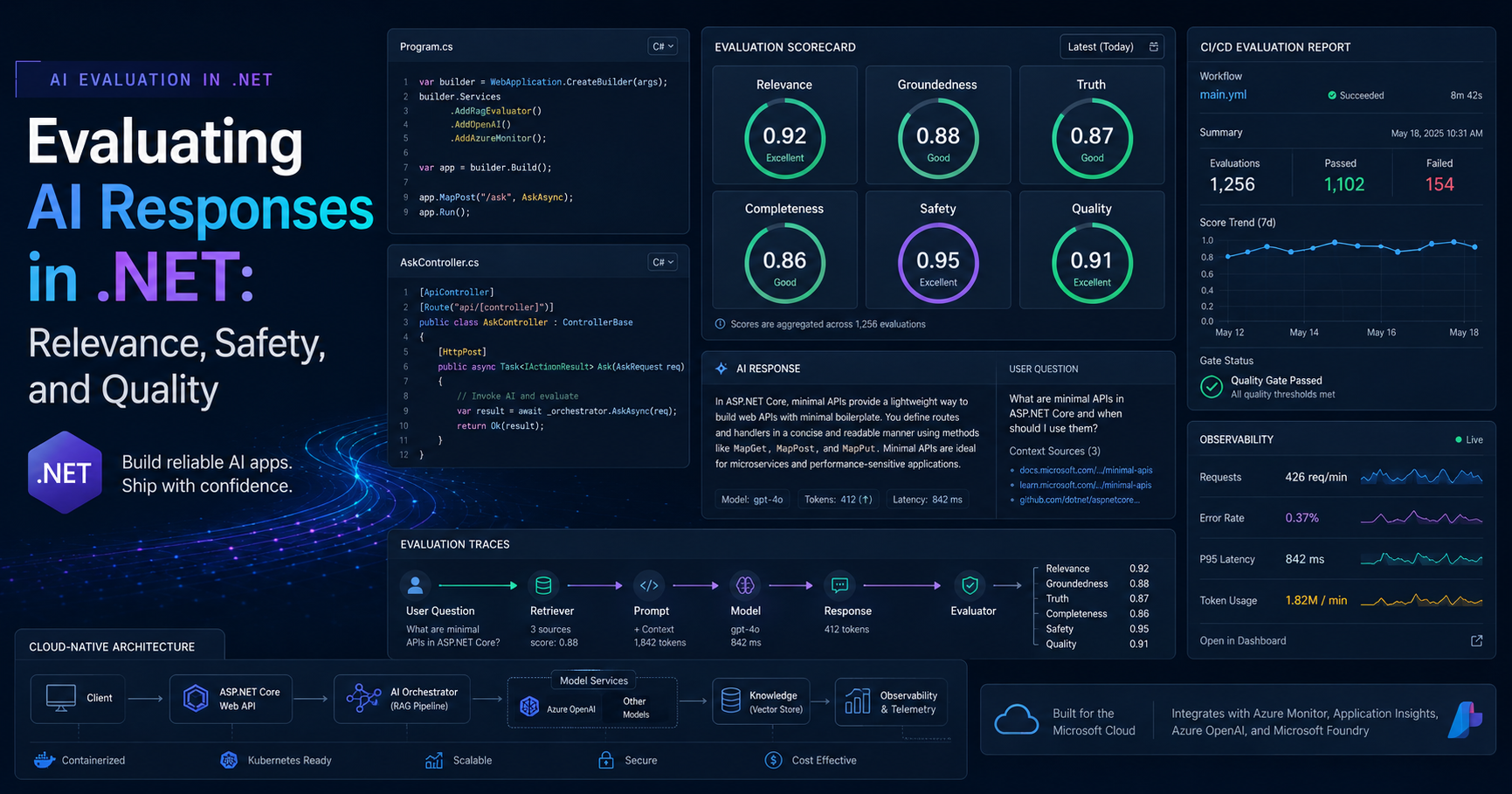
Evaluating AI Responses in .NET: Relevance, Safety, and Quality
Evaluating AI Responses in .NET is one of the most important steps I would put in place before shipping any AI feature to real users. Getting a response from a model is easy. Deciding whether that response is relevant, grounded, safe, and production-ready is the part that separates demos from systems I would actually trust in front of customers.
Microsoft’s current .NET AI stack finally gives us a cleaner answer here. Instead of inventing our own ad hoc scorecards, we can now build structured evaluation workflows around the Microsoft.Extensions.AI.Evaluation libraries, use quality evaluators for relevance and completeness, add safety checks for harmful content, and run all of that in a repeatable offline pipeline before rollout.
Key Takeaways
- Quality and safety are different problems, and I evaluate them separately.
- For pre-release testing, I prefer offline evaluation with caching and reporting.
- For production visibility, I like lightweight online evaluation and telemetry.
- Built-in evaluators are useful, but real systems still need custom business-rule checks.
- The best results come from combining relevance, groundedness, truth, completeness, and safety gates.
Table of Contents
Why Evaluating AI Responses in .NET matters before production
When I review AI-enabled .NET features, I do not ask only one question: “Did the model answer?” I ask several more important questions. Did it answer the user’s actual intent? Did it stay grounded in the source material I supplied? Did it miss important details? Did it produce unsafe content? Did it violate a business rule even though the answer sounded fluent?
That is why Evaluating AI Responses in .NET should be treated as a release discipline, not a nice-to-have experiment. In a normal enterprise app, I would never ship an API with no logging, no authentication review, and no tests. AI features deserve the same level of engineering discipline. The response itself is just one output. The quality signal around that output is what helps me decide whether the feature is stable enough to release.
This is also why I like the direction Microsoft has taken. The .NET evaluation stack fits into familiar developer workflows: test projects, CI/CD pipelines, telemetry, and reporting. That feels much more natural than bolting governance on later.
What the Microsoft stack gives us
At a practical level, I think about the current evaluation stack in four layers:
| Layer | What it does | Why I care |
|---|---|---|
| Core evaluation | Shared abstractions, metrics, evaluator interfaces | Lets me build a reusable evaluation framework instead of one-off scripts |
| Quality evaluators | Relevance, truth, completeness, coherence, groundedness | Tells me whether the answer is actually useful |
| Safety evaluators | Harm, protected material, indirect attacks, ungrounded attributes, more | Protects the app from unacceptable outputs |
| Reporting and caching | Offline runs, cached responses, stored results, reports | Makes evaluation repeatable and affordable in CI/CD |
The part I especially like is that Microsoft does not flatten everything into one generic score. Quality evaluators and safety evaluators solve different problems. Quality evaluators use an LLM to judge things like relevance and completeness. Safety evaluators rely on the Microsoft Foundry Evaluation service. That split matches how I already think about production risk.
If you want to read the official documentation behind this stack, start with these Microsoft resources: The Microsoft.Extensions.AI.Evaluation libraries, Quickstart: Evaluate response quality, and Tutorial: Evaluate response safety.
How I structure the evaluation workflow
In real delivery work, I would split the workflow into two modes.
1. Offline evaluation before release
This is the mode I use for representative prompts, seeded scenarios, CI/CD gates, and release review. Here I want response caching, saved evaluation results, and readable reports. This is where I decide whether the feature is improving or regressing over time.
2. Online evaluation in production
This is the lighter-weight mode I use for sampled traffic and telemetry. I do not want every request to become an expensive full evaluation job, but I do want enough visibility to detect drift, regressions, or unsafe patterns after release.
App / API
   ↓
IChatClient-based response generation
   ↓
Evaluation layer
   ├─ Quality: relevance, truth, completeness, groundedness, coherence
   ├─ Safety: harm, protected material, indirect attack, attributes
   └─ Custom business rules: citations, length, disclaimer, source policy
   ↓
Offline reporting + CI/CD gates
   ↓
Selective online telemetry in production
This structure keeps the release decision honest. I am not depending on a single manual prompt check. I am creating a repeatable evaluation path that behaves more like the rest of a well-engineered .NET system.
Practical example: evaluating support answers before rollout
Let’s use a practical scenario. Suppose I am building an internal support assistant for a billing platform. The bot answers questions such as plan upgrades, proration, renewal rules, and refunds based on company policy documents. Before rollout, I want to know:
- Is the answer relevant to the question?
- Is it grounded in the supplied policy context?
- Is it complete enough for support usage?
- Does it avoid unsafe or policy-breaking output?
- Does it stay concise enough for the UI?
Start with the packages
dotnet add package Azure.AI.OpenAI
dotnet add package Azure.Identity
dotnet add package Microsoft.Extensions.AI.Abstractions
dotnet add package Microsoft.Extensions.AI.Evaluation
dotnet add package Microsoft.Extensions.AI.Evaluation.Quality
dotnet add package Microsoft.Extensions.AI.Evaluation.Reporting
dotnet add package Microsoft.Extensions.AI.OpenAI

# Add this when you want safety evaluators
dotnet add package Microsoft.Extensions.AI.Evaluation.Safety --prerelease
That gives me a clean starting point. Quality evaluation covers relevance, truth, completeness, coherence, and groundedness. Safety evaluation adds protection around harmful or unacceptable output. Reporting lets me cache model responses, store results, and review trends instead of re-testing blind every time.
A realistic MSTest quality evaluation
using Azure.AI.OpenAI;
using Azure.Identity;
using Microsoft.Extensions.AI;
using Microsoft.Extensions.AI.Evaluation;
using Microsoft.Extensions.AI.Evaluation.Quality;
using Microsoft.Extensions.AI.Evaluation.Reporting;
using Microsoft.Extensions.AI.Evaluation.Reporting.Storage;

[TestClass]
public sealed class BillingAssistantEvalTests
{
    public TestContext? TestContext { get; set; }

    [TestMethod]
    public async Task UpgradeAnswer_Should_Be_Relevant_Grounded_And_Clear()
    {
        var client = new AzureOpenAIClient(
            new Uri(Environment.GetEnvironmentVariable("AZURE_OPENAI_ENDPOINT")!),
            new DefaultAzureCredential())
            .GetChatClient("gpt-5")
            .AsIChatClient();

        var evaluators = new IEvaluator[]
        {
            new RelevanceTruthAndCompletenessEvaluator(),
            new GroundednessEvaluator(),
            new CoherenceEvaluator(),
            new WordCountEvaluator(maxWords: 160)
        };

        var reporting = DiskBasedReportingConfiguration.Create(
            storageRootPath: "C:\\AIEvalReports",
            evaluators: evaluators,
            chatConfiguration: new ChatConfiguration(client),
            enableResponseCaching: true,
            executionName: DateTime.UtcNow.ToString("yyyyMMddTHHmmss"));

        await using var run = await reporting.CreateScenarioRunAsync(
            $"{nameof(BillingAssistantEvalTests)}.{TestContext!.TestName}");

        IList<ChatMessage> messages =
        [
            new ChatMessage(ChatRole.System,
                "You are a billing support assistant. Answer only from the supplied policy context."),
            new ChatMessage(ChatRole.User,
                "Can I upgrade my plan in the middle of the billing cycle?")
        ];

        var response = await client.GetResponseAsync(messages, new ChatOptions { Temperature = 0 });

        var context = new GroundednessEvaluatorContext("""
            Customers can upgrade at any time.
            Billing is prorated immediately.
            Downgrades take effect at the next renewal date.
        """);

        var result = await run.EvaluateAsync(messages, response, new[] { context });

        Assert.IsTrue(result.Get<NumericMetric>("Relevance (RTC)").Value >= 4);
        Assert.IsTrue(result.Get<NumericMetric>("Truth (RTC)").Value >= 4);
        Assert.IsTrue(result.Get<NumericMetric>("Completeness (RTC)").Value >= 4);
        Assert.IsTrue(result.Get<NumericMetric>(GroundednessEvaluator.GroundednessMetricName).Value >= 4);
        Assert.IsTrue(result.Get<NumericMetric>(CoherenceEvaluator.CoherenceMetricName).Value >= 4);
    }
}

public sealed class WordCountEvaluator : IEvaluator
{
    private readonly int _maxWords;
    public WordCountEvaluator(int maxWords) => _maxWords = maxWords;

    public IReadOnlyCollection<string> EvaluationMetricNames => new[] { "Words" };

    public ValueTask<EvaluationResult> EvaluateAsync(
        IEnumerable<ChatMessage> messages,
        ChatResponse modelResponse,
        ChatConfiguration? chatConfiguration = null,
        IEnumerable<EvaluationContext>? additionalContext = null,
        CancellationToken cancellationToken = default)
    {
        var wordCount = (modelResponse.Text ?? string.Empty)
            .Split(' ', StringSplitOptions.RemoveEmptyEntries).Length;

        var metric = new NumericMetric("Words", wordCount, $"Word count: {wordCount}");
        return ValueTask.FromResult(new EvaluationResult(metric));
    }
}
This is the kind of gate I actually trust. It checks response usefulness, grounding, and basic presentation constraints. It also gives me a structure for adding more scenarios later, which is where evaluation starts becoming valuable instead of decorative.
Where safety fits
I do not mix safety into vague manual review. I treat it as a separate gate. For customer-facing assistants, I want safety evaluators in place for content harm, protected material, indirect attacks, and similar risks. If the feature already has pre-approved text, offline evaluation may still be enough. If it produces free-form answers, safety becomes much more important.
One practical nuance I would keep in mind is cost and repeatability. When running offline evaluation frequently, response caching matters a lot. That is one reason I like the reporting-based workflow. It helps teams compare results over time instead of burning cost on identical runs.
Best practices I recommend
- Use representative prompts. I do not evaluate with only “happy path” questions. I include ambiguous, incomplete, policy-sensitive, and edge-case prompts.
- Separate quality from safety. A fluent answer can still be unsafe, and a safe answer can still be unhelpful.
- Add at least one custom evaluator. Built-in metrics are useful, but business rules like citation format, length, disclaimer text, or source restrictions are usually domain-specific.
- Track trends, not just one run. I care more about whether the evaluation profile is improving over time than whether one score moved slightly on one day.
- Use offline evaluation before launch and sampled online evaluation after launch. Those two modes serve different goals and work well together.
Mistakes and pitfalls I would avoid
1. Using one score as the whole truth
I never treat relevance alone as a release decision. The answer can be relevant but incomplete, grounded but unsafe, or coherent but policy-breaking.
2. Skipping grounding context
If I am evaluating groundedness for RAG or policy-backed answers, I need to supply the context the answer should be grounded in. Otherwise the score is less meaningful.
3. Forgetting business-specific rules
Enterprise systems often need rules like “must not mention internal SKU IDs” or “must include a disclaimer for legal answers.” That is not something generic evaluators can fully infer for me.
4. Treating evaluation as a one-time setup
I see evaluation as living architecture. New prompts, new models, new source data, and new policies can all shift behavior. The evaluation pipeline should evolve with the feature.
Conclusion: Evaluating AI Responses in .NET before production rollout
For me, Evaluating AI Responses in .NET is no longer optional for serious applications. Once a team moves beyond demos and prototypes, it needs a repeatable way to measure whether AI answers are relevant, grounded, complete, safe, and aligned with business rules before those answers reach real users.
What I like about the current Microsoft direction is that it gives .NET teams a much more practical foundation for this work. With Microsoft.Extensions.AI.Evaluation, quality evaluators, safety evaluators, reporting, and custom evaluator support, I can build an evaluation workflow that fits naturally into test projects, CI/CD pipelines, and production telemetry instead of treating AI review as a manual afterthought.
If I were shipping a production AI feature today, I would not stop at “the response looks good.” I would make Evaluating AI Responses in .NET part of the release process itself by checking relevance, truth, completeness, groundedness, safety, and domain-specific policies before rollout. That is how AI features become more reliable, governable, and ready for enterprise use.
Related reading on AINexArch
- How to Build AI Apps in .NET Using Microsoft.Extensions.AI
- Microservices Interview Questions for Senior .NET Engineers
- App Service vs Azure Functions vs Container Apps for .NET
- HybridCache in .NET: When and Why to Use It
- Azure Functions Interview Questions with Real Project Examples
- Production Support in .NET and Azure
FAQ
What is Evaluating AI Responses in .NET?
It is the process of scoring AI outputs in a .NET application for relevance, groundedness, completeness, truth, safety, and business-specific quality rules before or after production rollout.
What packages are most important for Evaluating AI Responses in .NET?
The main packages are Microsoft.Extensions.AI.Evaluation, Microsoft.Extensions.AI.Evaluation.Quality, Microsoft.Extensions.AI.Evaluation.Reporting, and optionally Microsoft.Extensions.AI.Evaluation.Safety when you need safety checks.
Should I do offline or online evaluation?
I recommend both. Offline evaluation is better for CI/CD, release gates, and repeatable benchmark scenarios. Online evaluation is better for sampled telemetry and production monitoring after rollout.
Do I still need custom evaluators?
Yes. Most real applications need domain-specific checks such as length limits, source-citation requirements, disclaimer rules, banned phrases, or output formatting expectations.
Is this only for RAG systems?
No. It is useful for support assistants, chatbots, summarization flows, classification outputs, agent workflows, and any feature where AI output quality and safety affect user trust.
Recommended AI Tools & Resources
If you found this article useful, here are some AI tools and resources from AINexArch that can help you work faster and smarter:
- Best AI Writing Tools 2026 — top tools for writing, content, and productivity
- ChatGPT vs Claude 2026 — which AI is better for developers?
- Best Free AI Tools 2026 — powerful AI tools that cost nothing
- Best AI Tools for Content Creators 2026 — complete guide
If you create technical videos, tutorials, or podcast content alongside your development work, ElevenLabs is the best AI voice generator available in 2026. Turn your written content into professional audio in seconds.
👉 Try ElevenLabs Free — Best AI Voice Generator 2026
Disclosure: This article contains affiliate links. If you sign up through my link, I may earn a commission at no extra cost to you.